Deck.Toys includes built-in AI tools inside the Slide editor to help teachers turn a slide into questions, vocabulary work,...
Mystery Pattern, Dial and Emoji: Three Clues to Try
 Boon Jin
Updated
We added three Mystery Apps to Deck.Toys: Mystery Pattern, Mystery Dial and Mystery Emoji. Students trace a route, turn a combination dial or tap a sequence of symbols to complete the puzzle.
Find them under Mystery Apps in the Slide App picker. Set the answer, then put the clue on your slide. Here are three complete examples to try, with the answers and hints included.
Mystery Pattern: east, east, south
Copy this clue onto a slide:
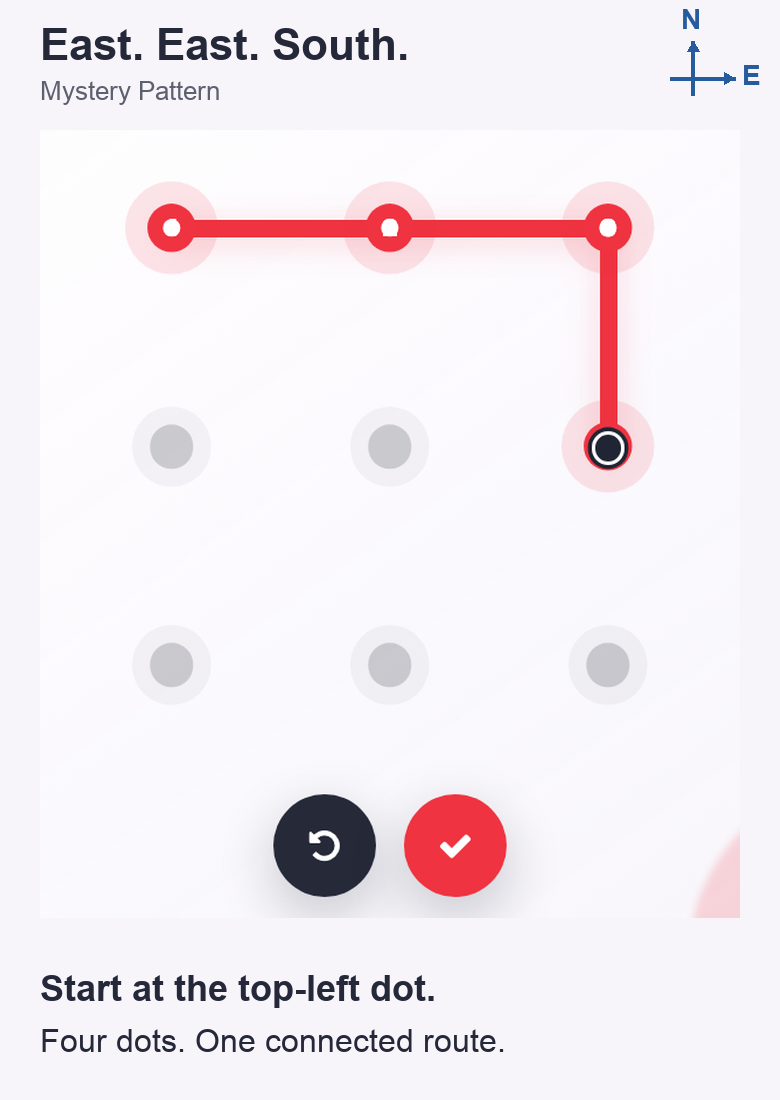
North is at the top of the screen. Start at the north-west dot. Move one dot east, one more dot east, then one dot south. Trace the whole route without lifting your finger or releasing the mouse.
Set the answer: trace top-left → top-middle → top-right → middle-right in the configuration. These are four dots, visited in that order. Students draw the same route; releasing the trace checks it.
Optional hint: “East is right; south is down. Each move goes to the next dot.”
This clue practises following directions. Keep the start point explicit: “east, east, south” alone leaves students guessing where to begin. Ask them to say the route aloud before drawing it if you want to hear their direction vocabulary.
Mystery Dial: three answers, three stops
Give students this counters puzzle:
Solve the questions in order. Each answer is one number in the combination.
- Three boxes hold four counters each. How many counters are there?
- Seven boxes hold four counters each. How many counters are there?
- Share 21 counters equally among three boxes. How many go in each box?
Answer key: 3 × 4 = 12; 7 × 4 = 28; 21 ÷ 3 = 7.
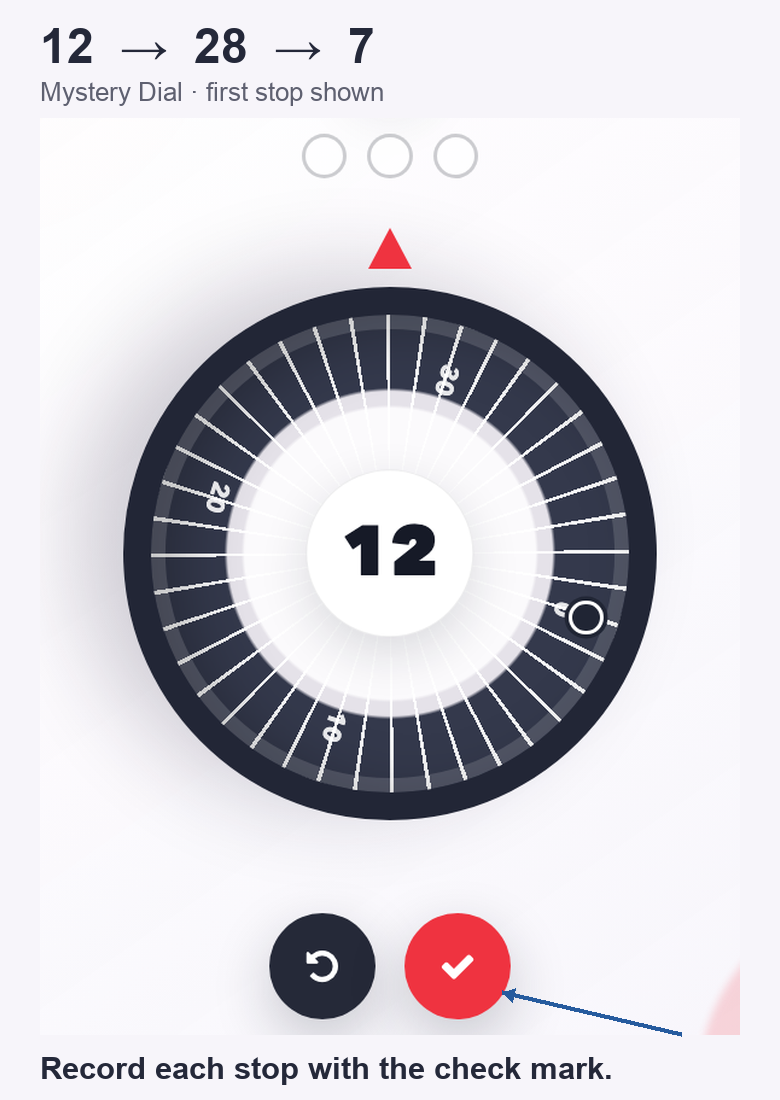
Set the combination: 12 → 28 → 7. The teacher configuration has three number fields. For students, the number in the centre is the current dial value. Turn to 12 and press the check mark; repeat for 28, then 7. The third recorded number checks the combination. There is no clockwise–anticlockwise rule to add to the clue.
Optional hint: “Multiply in the first two questions; divide in the third. Keep their order.”
The dial accepts whole numbers from 0 to 39, so choose calculations whose answers fit. A correct calculation in the wrong position will still give the wrong combination.
Mystery Emoji: read, identify, tap
Use a short description clue for a first attempt:
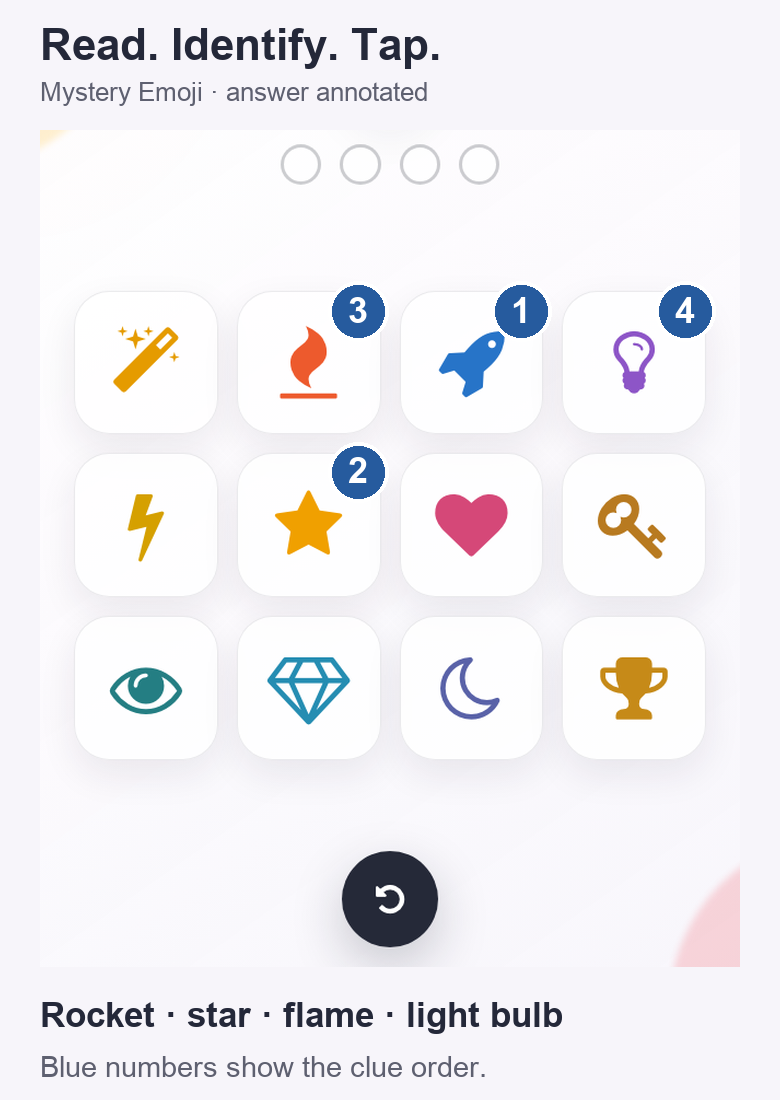
Tap the matching pictures in the order described:
- A vehicle designed to travel into space.
- A shape with five points.
- A flame.
- A light bulb.
Set the passcode: choose rocket → star → flame → light bulb in the configuration. Students tap those four symbols in that order; the fourth tap checks the passcode.
Optional hint: “Read top to bottom. The last symbol is a light bulb.”
Describe the pictures students can see. “Something bright” could point to the star, flame or bulb, so it would make a poor clue here. Once students know the interaction, replace these descriptions with four precise clues from your lesson.
The curved arrow clears an attempt in all three apps. You can use one puzzle within a lesson, or give each its own clue in an escape room. Our Lock Guide explains the wider lock choices, and How to Build Digital Escape Rooms covers connecting activities into a lesson adventure.
