 Boon Jin
Deck.Toys includes built-in AI tools inside the Slide editor to help teachers turn a slide into questions, vocabulary work,...
Upload Your Own Videos into Deck.Toys
 Boon Jin
Deck.Toys now lets teachers upload their own video files into Media Library and reuse them across lessons.
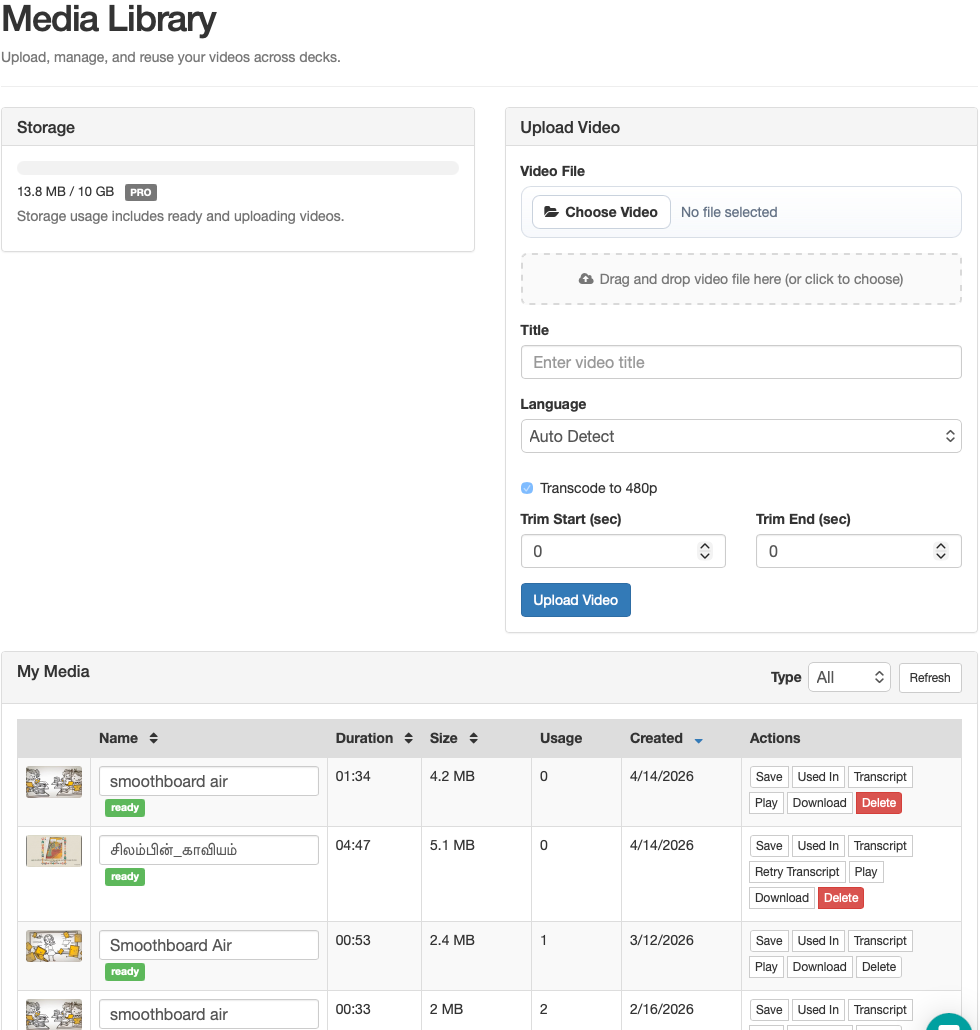
This gives teachers a better option when they already have a class demo, experiment recording, worked example, or instruction clip as a file. It is especially useful in schools where YouTube access is blocked, restricted, or simply not the right fit for the lesson.
Inside Media Library, teachers can:
- upload their own video files
- set a title for the clip
- trim the part they want to use
- manage saved clips in one place
- reuse the same video across multiple decks
- use uploaded videos inside interactive video lessons
Uploaded videos work with the same lesson flow teachers already use for interactive video. That means teachers can place Slide apps along the video timeline to pause the lesson, check understanding, or guide students through the clip at the right point.
This makes it easier to teach with teacher-created content instead of rebuilding the same video workflow around external links.
